Scripts
The Scripts pane (Infra → Scripts) is a built-in Python script runner: browse,
edit, and execute short scripts against the currently active API context,
right from the TUI. It's also the same convention used by
custom panes and by init_scripts
(below) — one script format, three ways to trigger it.
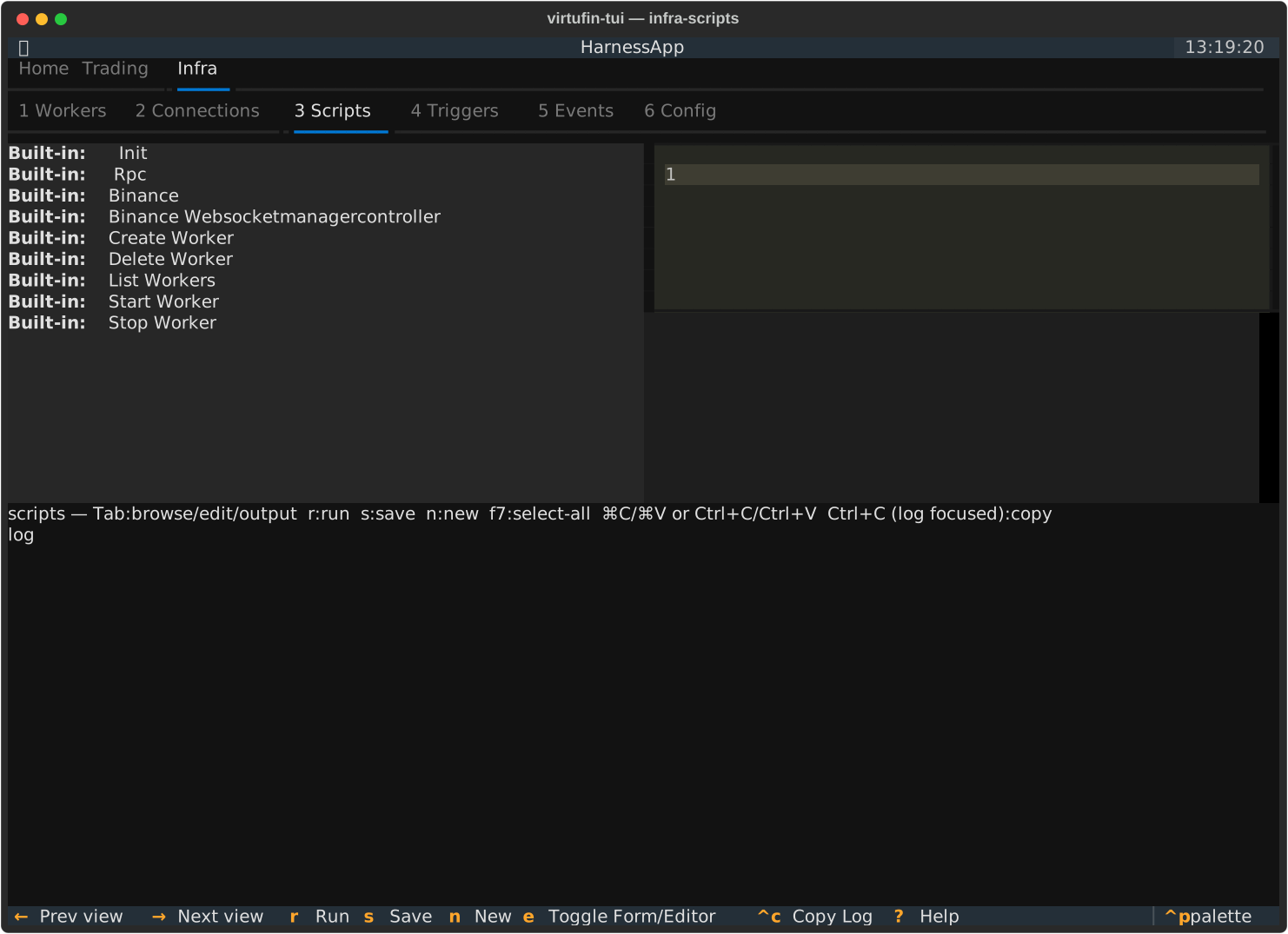
Built-in vs. user scripts
| Kind | Location | Editable? |
|---|---|---|
| Built-in | shipped with virtufin-tui (examples/ in the package) |
No — read-only in the editor |
| User | ~/.config/virtufin/tui/examples/ |
Yes |
Both show up in the same list, built-ins first. Press n to create a new
user script (seeded from the built-in template, see below); press s to
save edits to a user script. See Keybindings → Scripts
for the full key reference.
The env-var contract
Every script — built-in, user, or a custom pane's .py — is run as a plain
python3 subprocess and receives the active context as environment
variables. Your script doesn't set these or read them from a config file
itself; whatever ran the script (the Scripts pane, a custom pane, or
init_scripts at startup) sets them right before spawning the subprocess:
| Variable | Meaning |
|---|---|
VIRTUFIN_TUI_API_HOST |
virtufin-api host (default localhost) |
VIRTUFIN_TUI_API_PORT |
virtufin-api gRPC port (default 5002) |
VIRTUFIN_TUI_API_TLS |
"true"/"false" — TLS for the above |
VIRTUFIN_TUI_API_KEY |
x-api-key, if the active context uses key auth (empty string otherwise) |
VIRTUFIN_TUI_WORKER_API_HOST / VIRTUFIN_TUI_WORKER_API_PORT |
virtufin-workmanager's worker-facing API, for scripts that talk to it directly |
VIRTUFIN_TUI_FORM_DATA |
JSON dict of submitted form fields — only set when the script has a paired .form.json (see below) |
This is the same mechanism regardless of trigger: screens/_script_runner.py's
run_script_subprocess builds the env and streams output back to a log,
whether that log is the Scripts pane's output panel, a custom pane's, or (for
init_scripts) the app's own tui.log (~/.local/state/virtufin/tui/tui.log).
Writing a script
New user scripts (n) start from the built-in template, which shows the
contract above in comments and demonstrates the reflection-based RPC helpers
in _rpc.py:
from _rpc import api_client, invoke

async def run():
    async with api_client() as api:
        result = await invoke(api, "workmanager", "ListWorkers")
        print(f"Workers: {result.get('workers', [])}")
api_client() builds a client from the VIRTUFIN_TUI_API_* env vars above;
invoke()/invoke_no_response() call any virtufin-api RPC by service/method
name via gRPC reflection, so you don't need generated stubs for a one-off
script. A script can also skip _rpc.py and use virtufin.api.ApiClient
directly (construct it from the same env vars) if it only needs a couple of
well-known RPCs — see system_startdate.py under Automatic startup
scripts below for an example of that lighter-weight style.
Script + form pairs
Drop a <name>.form.json next to <name>.py (same stem) and the Scripts
pane renders a declarative form (via textual_jsonforms) instead of jumping
straight to running the script — press e to toggle between the form and
the code editor. Submitting the form runs the script with the field values
passed as JSON via VIRTUFIN_TUI_FORM_DATA. See create_worker.py /
create_worker.form.json in examples/ for a full reference, and
Custom panes → Script + form pane for
the same convention embedded as its own pane instead of run from the Scripts
list. The form schema itself is defined by textual_jsonforms — see
docs/textual-jsonforms-spec.md in the repo root for the field-type
reference.
Automatic startup scripts (init_scripts)
init_scripts in ~/.config/virtufin/tui/config.toml names scripts to run
once, automatically, shortly after the TUI connects — no keypress needed:
Each entry is a bare filename resolved against
~/.config/virtufin/tui/scripts/ — a separate directory from the
Scripts pane's ~/.config/virtufin/tui/examples/. The distinction is
deliberate: examples/ holds scripts you browse and run on demand from the
Scripts pane; scripts/ holds scripts meant to run unattended, once per
launch, with nothing to review or click first.
Behavior:
- Scripts run in the order listed, each via the same
run_script_subprocessused everywhere else — same env-var contract as above (VIRTUFIN_TUI_FORM_DATAis never set, since there's no form). - They run after the dashboard is already shown (fire-and-forget), so a slow or hung init script never delays startup.
- A missing file is logged to
tui.logand skipped — not fatal. - Output goes to
tui.log, not a visible pane (there's no pane to show it in yet at that point in startup).
The shipped example, system_startdate.py, writes a cfg.tui.startdate
state entry (visible on the States pane) with the current UTC time on every
launch — a minimal template for "run something once per session" init
scripts.